Skip to content
POSNext by TicketNetwork
  • Call Us: (855) 526-9674
  • Products
    • POSNext
    • POS11
    • Uploaders
    • Additional Products
  • Sales Team
  • Sign Up
  • Log In

How do I add tickets to multiple events?

July 30, 2019July 30, 2019 by Pos Next

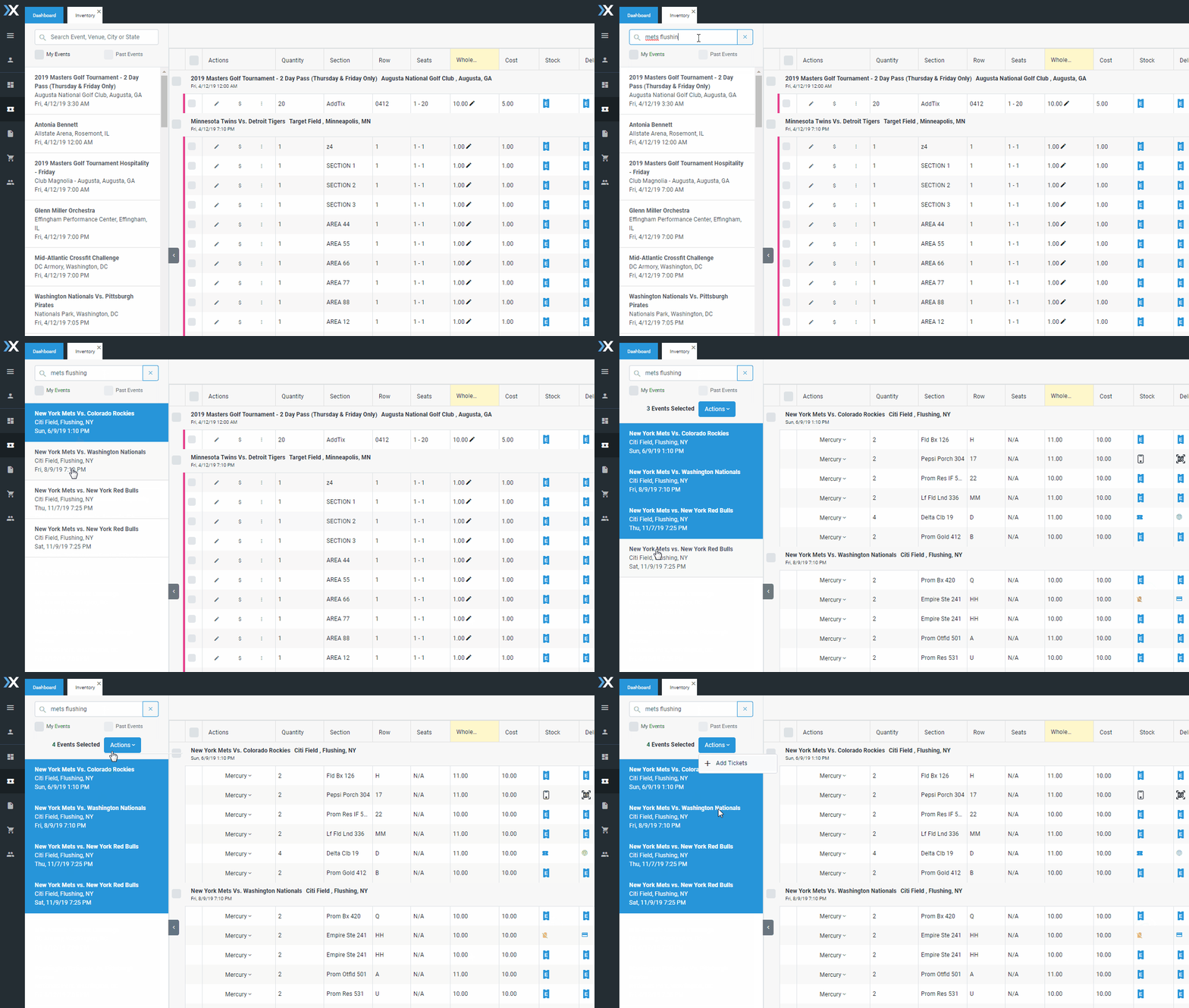
Season tickets can be added as a a set of tickets to multiple events from the Inventory Grid.

  1. Search for the event you’re looking for Example – “Mets Flushing”
  2. In the search results view, hold CTRL and click to select multiple events
  3. Click “Add Events’

animated gif of the process for adding tickets to multiple events on POSNext

Categories Frequently Asked Questions
Post navigation
POSNext Release – July 2, 2019
POSNext Quick Start Guide

FAQs

  • POSNext Release – September 24th, 2020
  • POSNext Release – June 23rd, 2020
  • POSNext Release – June 2nd, 2020
  • POSNext Release – April 23nd, 2020
  • POSNext Release – February 27th, 2020
  • POSNext Release – February 4th, 2020
  • POSNext Release – January 13th, 2020
  • POSNext Release – December 19, 2019
  • POSNext Release – December 10, 2019
  • POSNext Release – November 21, 2019
© 2026 Ticket Software LLC. All rights reserved.