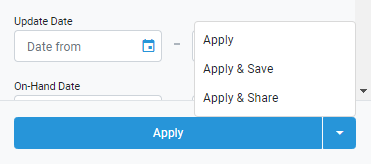
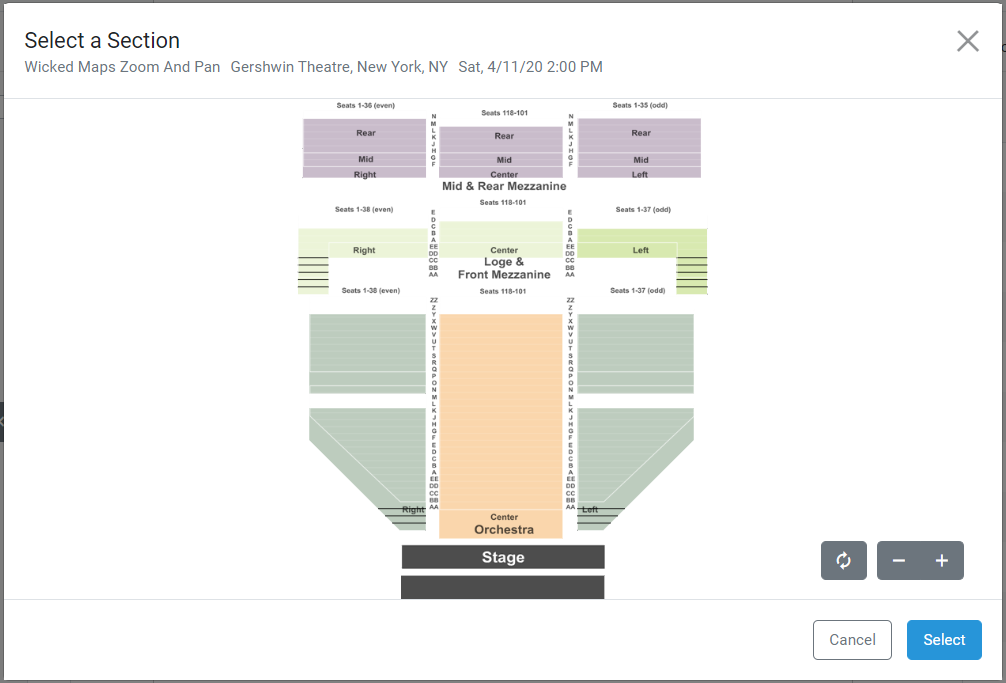
POSNext Release – February 27th, 2020 February 27, 2020February 27, 2020 by Pos Next Native Integrations – GametimeGametime is now available as part of POSNext’s Native IntegrationsRequest credentials from Gametime (at gametime.co).Plug them in under Account Settings -> Integrations, toggle the integration to on, and use Gametime just like any other broadcast channel. Saved FiltersPOSNext is now able to remember your filters on each grid!Simply hit the “Apply & Save” button to remember a filter for personal use.Hit “Apply & Share” to make your saved filter visible to every user at the brokerage!Filters can be edited and re-saved, and deleted from the Account Settings -> Filters Panel Map and Ticket Group UpdatesPOSNext’s Maps have been upgraded even further.Search and filter by venue level using the map legend. Enter sections on your ticket groups by using the map view.Autocomplete will now apply when adding or editing tickets on a venue, to make it easier for you to select matching map sections. Other Updates and BugfixesWhen using Credit Card as the payment method on a PO, it will default to the user’s last select credit card.Additional instructions on generating credentials for Vivid Seats have been added.Fixed FAQ linkFixed a duplicate address issue when adding customers