
The POSNext team is proud to announce the release of our POSNext 2.0 Open Beta!
The next generation of POSNext is entirely revamped, with a blazing-fast design that works equally well on your PC and in your pocket. Simply log into your TN Portal and click on the new POSNext Beta tile.
POSNext 2.0 has been in the works for some time, but specific updates included in this release include:
Inventory
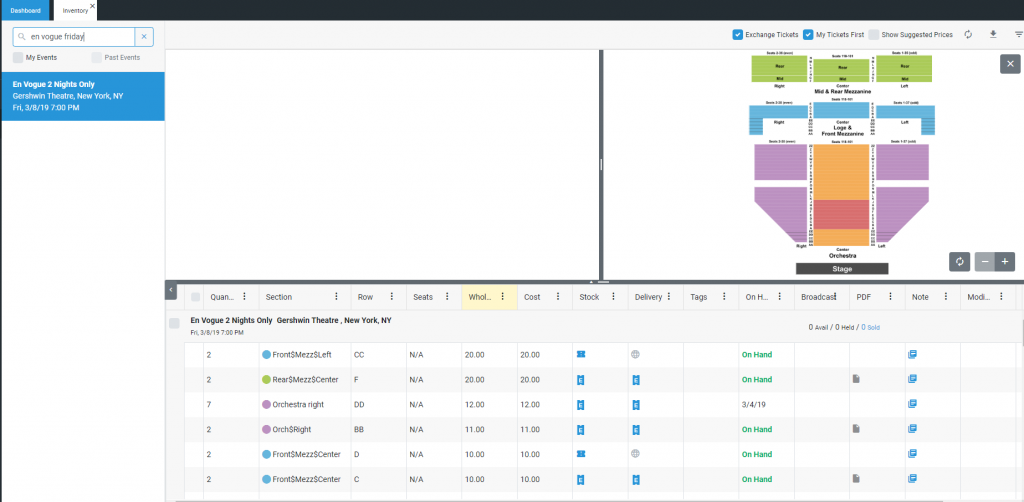
- The 2.0 Map View is now available. View the map directly when opening an event and simply click to filter event inventory! Resize, drag and zoom into the map as you wish.
- Solr search – a more powerful and intuitive way to search. Search using any combination of venue, event name, day/date or location
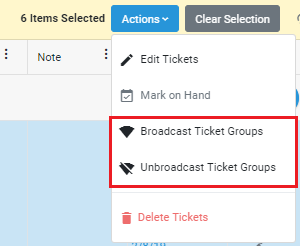
- Bulk Broadcast and Unbroadcast ticket groups with the click of a button
Grid Views
- Leveraging a new grid library, POSNext 2.0 comes with new features out of the box:
- Column sorting
- Column resizing on the fly
- Easily show and hide columns
- Forget pagination – easily scroll through your inventory and your tickets will load in real time.
- Addition of a Clear Selection button to grids
Purchase Orders
- Purchase Order bulk actions have been added to POSNext 2.0
- Mark On Hand
- Edit Notes and Tags
- Void Purchase Orders
- Add Payments to Purchase Orders
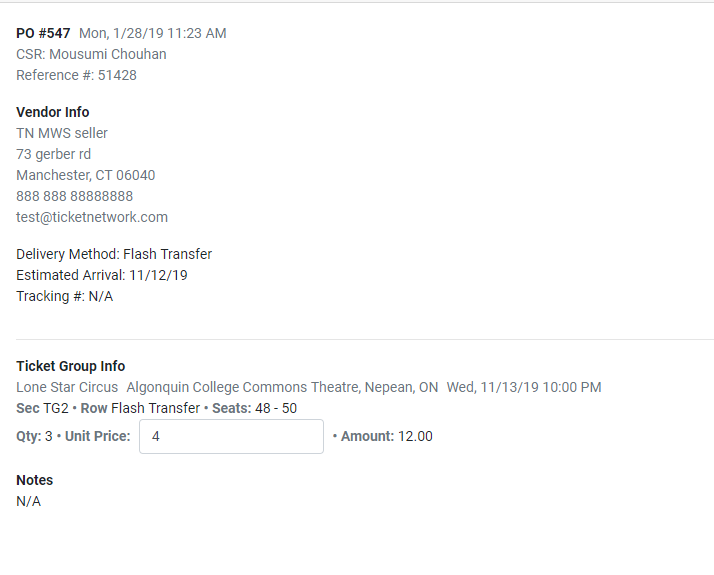
- Edit POs directly on Desktop
- Added Filters to Purchase Orders grid
- Added Export to Purchase Orders grid
- Update delivery status from the line item
- Purchase Order Bulk Actions, including Mark as Paid and Update Delivery Status
- Added a PDF column to the PO Grid
Invoices
- E-mail Invoices
- Print Invoices
- Add/Edit Payments to Invoices
Reports
- Updated Profit and Loss by to include summaries by event.
- Updated Unsold Profitability Report to include inventory summary
- Updated Wasted Inventory report to account for deleted ticket groups
Manage eTickets
- From the Purchase Orders, Inventory or Orders grid, manage all of the eTicket requirements in one place!
- Drag and drop the tickets in order to re-assign seats
- If a purchase order has multiple ticket groups attached, the user can select which ticket group they’d like to attach
Orders
- Mobile – E-mail Invoices directly from the Order Details view, including any attachment on the order (such as eTickets).
- Bulk Actions – Edit Notes and Tags on the Invoice.
Dashboard
- Looker reports are now available from the dashboard.
Other/Bugfixes
- Added whatfix support for POSNext 2.0 views.
- Updated details pages refreshing after an action in another grid.
- Fixed an issue with bulk selectors selecting file upload inventory.
- Fixed an issue where the inventory was not sorting purchasable quantity properly
- Fixed a bug where an action menu was staying open after an action was selected.
- Made it so payments can no longer be added to Voided Invoices
- “Add Ticket” button wasn’t working on events with no inventory
- Removed incrementation arrows from price input fields
- Fixed the “Reset Filters” button in Inventory
- Significant performance overhaul to POSNext 2.0 Grids.
- Fixed some display issues resetting values after incrementation on Inventory Grid
- Removed Event Column from Inventory Grid as event is selected
- Fixed an issue where Edit PO was duplicating values
- Fixed an issue where PO Detail screen was showing Wholesale value instead of Unit Cost