TN Link users are now able to buy Mercury inventory directly from their POSNext view. This inventory will be automatically added to your inventory.
TN Link users can now view Purchase orders for ticket groups purchased through Mercury
Purchased Mercury Inventory can be edited directly in POSNext
Inventory
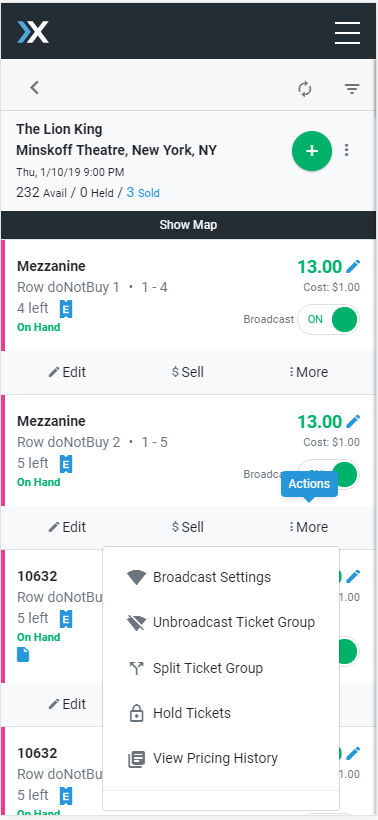
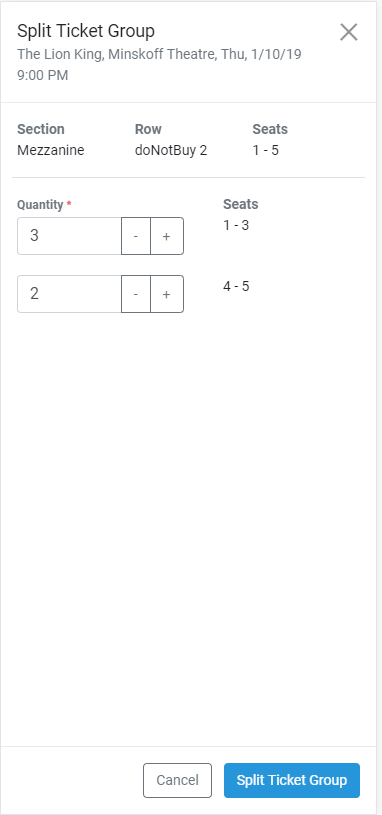
The ability to split ticket groups on the inventory is now available
Orders
When receiving Mercury orders, end customer recipient info is now available on the Direct Transfer screen, as well as on the Order Details view.
Edit and update Notes and Tags
Purchase Orders
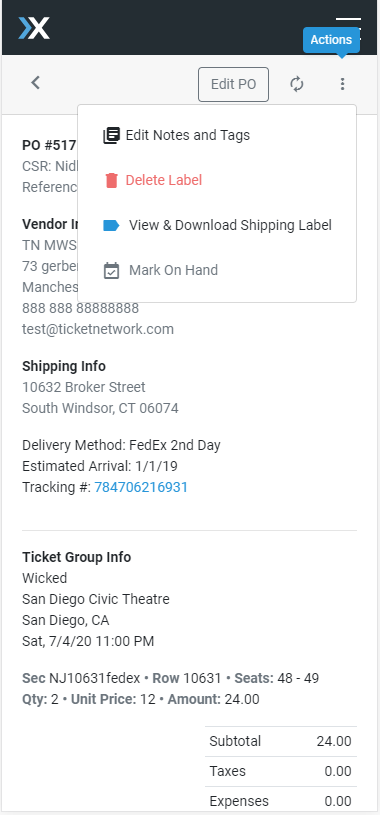
Manage your POs directly from your mobile device – Actions have been added to the PO detail view, including Mark On Hand, View/Cancel/Create shipping Label
Search and filter by Purchase Order ID
Added hyperlink for tracking numbers on purchase orders
Account Settings
Update your Profile Information on the go
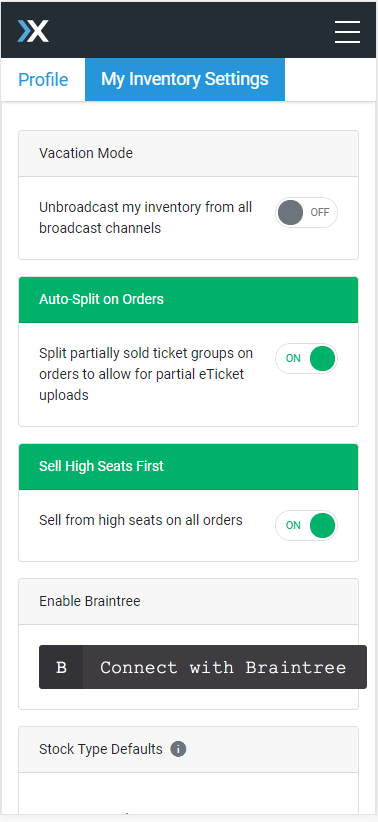
Inventory Settings – including Vacation Mode, Auto-Split on Orders, Stock Type Defaults and Braintree – are now available on mobile
Bug fixes
Updated front-end errors to be clearer for validation issues
Fixed unhandled error when trying to edit the PO of a deleted ticket group
Fixed device issue where input fields were moving the cursor to the rightmost decimal after entry
Fixed error thrown when adding General Admission tickets
Updated Safari bug where edited price disappears after being applied
Fixed an issue where Orders would fail to load after voiding an invoice