
Mercury
- BETA – Desktop TN Link users are now able to purchase Mercury inventory directly through POSNext. Purchased inventory will automatically be added to POSNext inventory.
- Added the ability to customize contact information on mobile devices during Add to Inventory for Flash and direct transfers, will call, local pickup and paperless – meet customer
Payment Processing
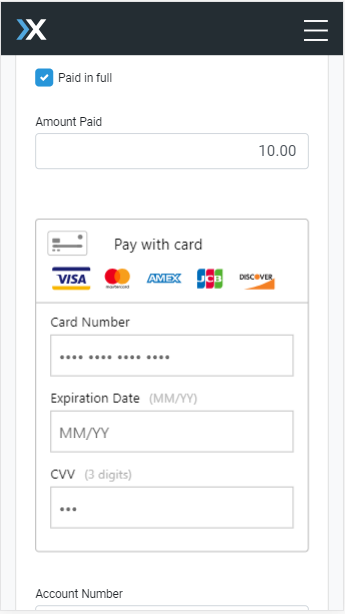
- POSNext mobile users are now able to integrate with their Braintree merchant accounts directly from Account Settings -> My Inventory Settings.
- Simply log into your Braintree merchant account.
- Once logged in, when selecting Credit Card as a payment type, process credit card payments directly.
Account Settings
- Access Account Settings on the go – Including updating profile information, vacation mode, and logging into your Braintree merchant account
Orders
- Brokers are now able to fill orders with alternate tickets on mobile
- Added ability to view and edit tags on the Edit Notes modal
- Brokers are able to see the pricing history for ticket groups that have sold, directly from the Orders menu
- Added tags to Order Details
- Orders with attached eTickets or QR will automatically show PDF icon
Purchase Orders
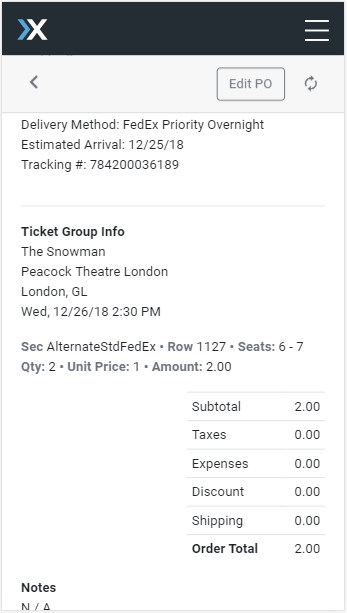
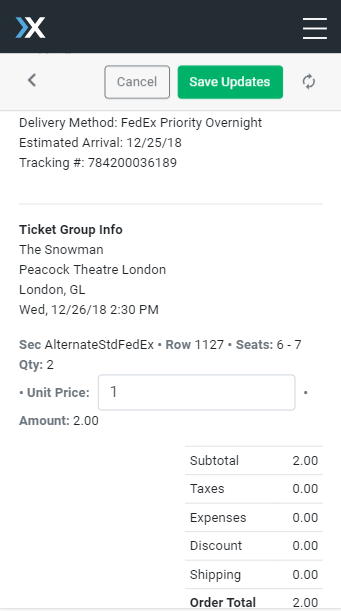
- Purchase Orders are now editable, with the ability to update the unit cost for every added ticket group. These updates will trickle through to the Ticket Group on the inventory.
- Separated individual ticket groups more clearly on mobile PO view
UI Improvements/Bugfixes
- Fixed filters on Purchase Order page which were ignoring voided invoices
- Updates for Safari users for scrolling and filter dropdown issues
- Various smaller UI updates
- Fixed a bug occurring when on-hand date was null
- Updated Hold modal to use primary e-mail address
- Filtered Mercury ticket groups out of Inventory filter for “Held tickets”
- Updated Tag presentation on some screens to prevent cutoff