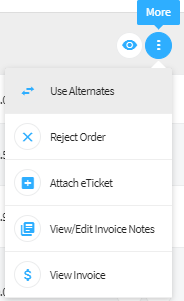
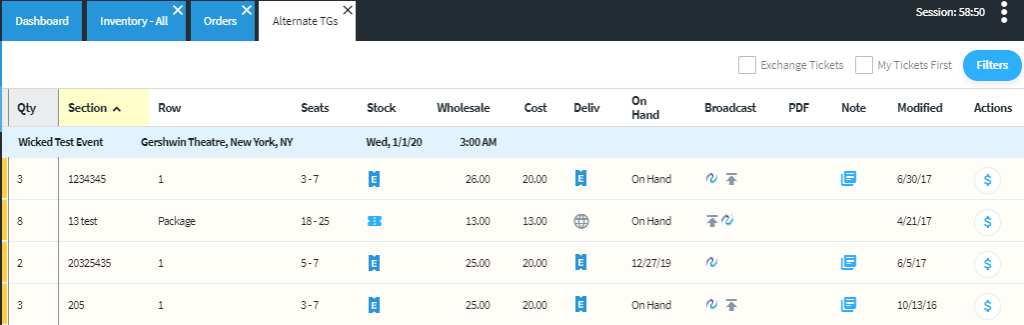
Processing orders with alternate tickets – Orders containing tickets that are not available can now be substituted with other available tickets. Clicking “More Options” on the orders grid will allow users to choose from other tickets in their inventory to fill the order.
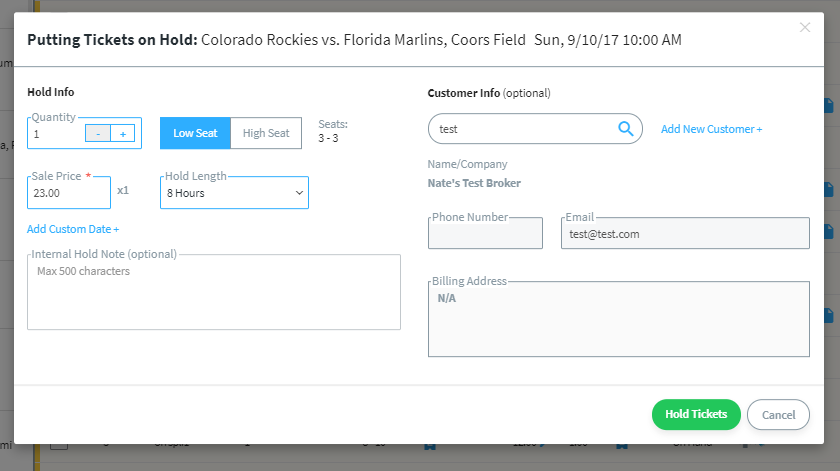
Create holds on tickets and release holds – Tickets can be placed on hold for future sale, as well as be released for self-applied holds and holds placed by 3rd party.
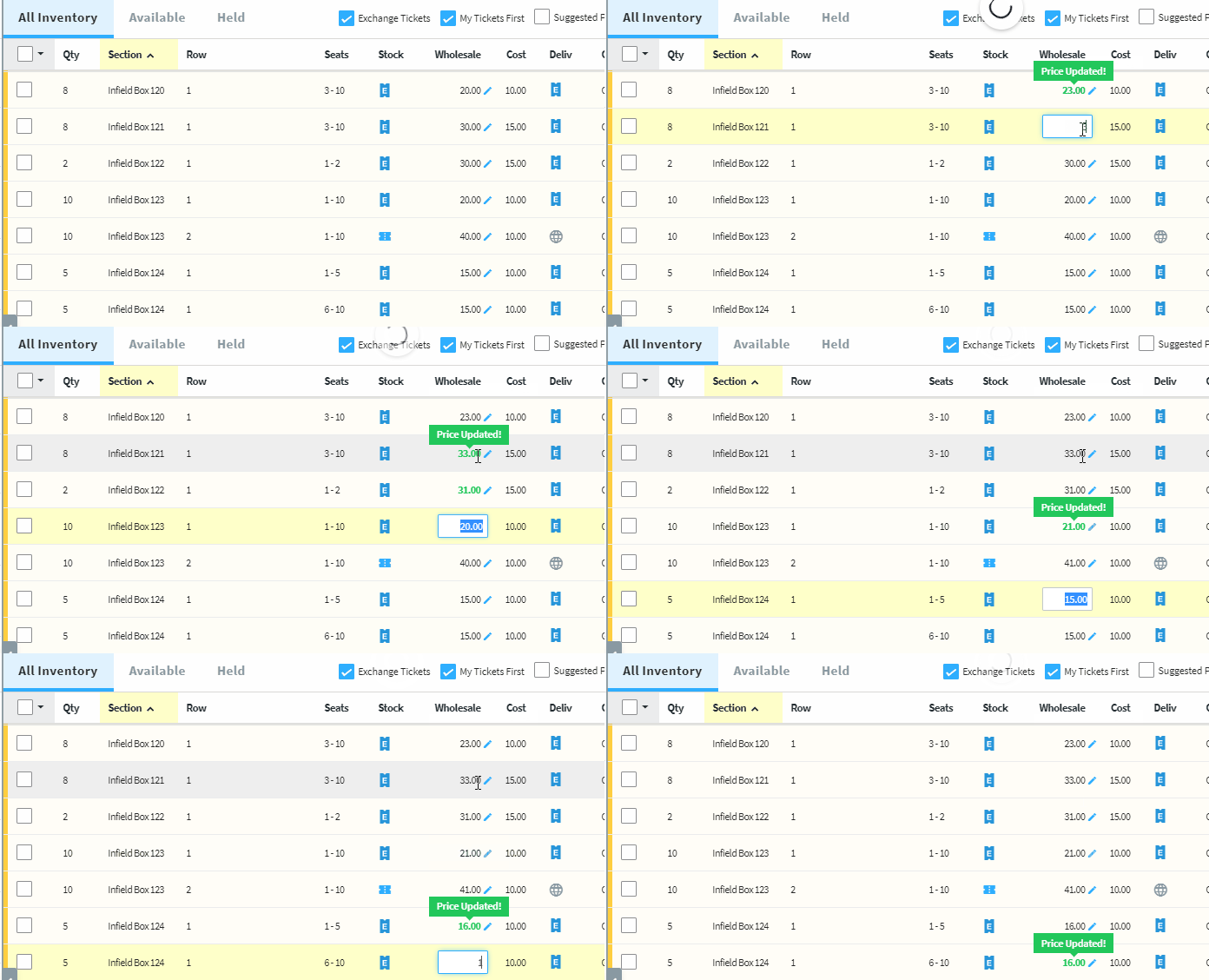
In-line price editing optimization – Update ticket prices with significantly less clicks and time. Once the price edit has been activated, users can quickly switch between tickets by using UP arrow, DOWN arrow, Tab and Shift+Tab.
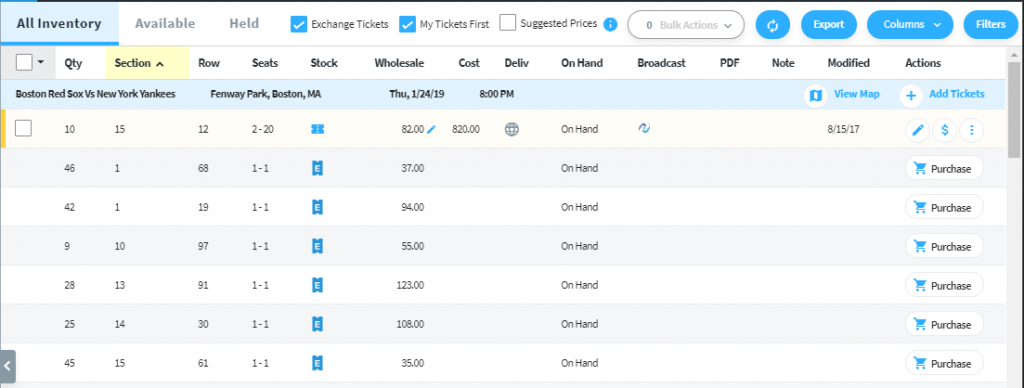
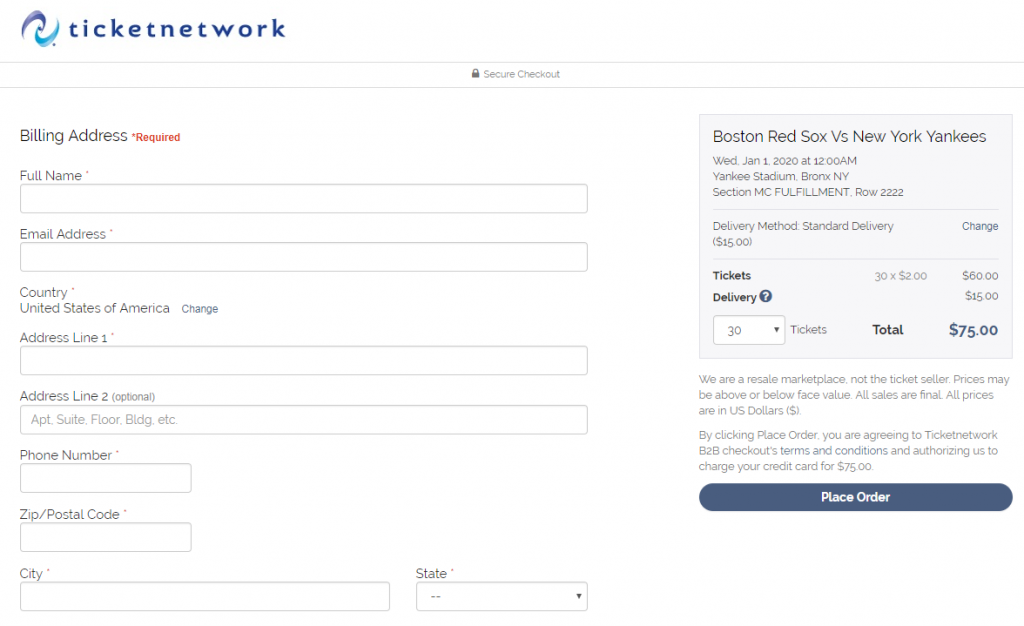
Purchasing Exchange Inventory from POSNext – Users now have the opportunity to purchase inventory on the exchange from brokers that are not opted into Mercury. On non-Mercury, a “Purchase” button will direct to a checkout screen to purchase the tickets.
Additional Updates and Enhancements:
Dashboard
Quick link added to see all “Inventory on hold”
Inventory
“Show my Tickets first” is now checked by default
Selecting stock type “flash seats” auto-populates delivery method
Events
Additional display column to show “Sold” tickets for an event
Users can now bulk broadcast and un-broadcast from the event view
General
File Uploader Access – Users that previously used WebAdmin can now log into POSNext to view orders.
All grids now default to “All” subviews
Performance improvements and various bug fixes
Map View
In-line price editing added to map view
Qty search logic now searches against purchasable quantities
Fixed issue where some maps cause session to hang.
Orders
“All Orders” tab has been added
Order type is now sortable
Filtering – multiple order type filters are now supported
Reporting
Profit and loss information has been added to the inventory summary report