
Combine Ticket Groups
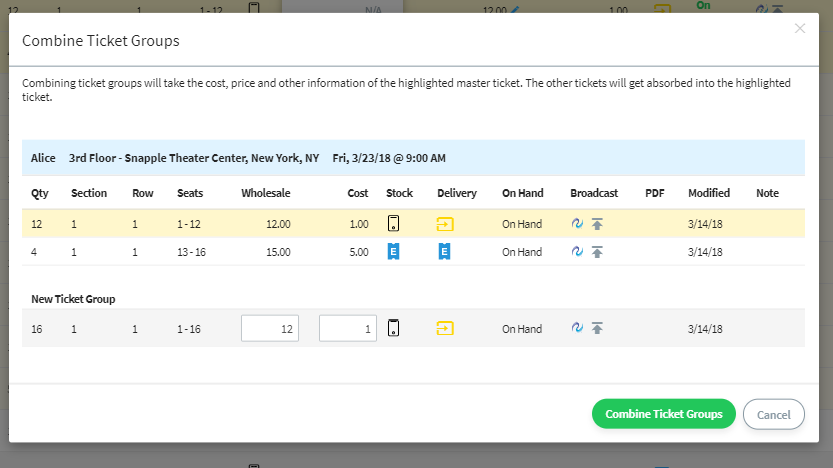
Combine ticket groups is now available from the Inventory Grid’s Bulk Action drop-down. A broker can convert multiple adjacent ticket groups into one more valuable ticket group and set a new price if desired.
New Stock Types and Delivery Methods Available
- New Stock Type of “Mobile” is now available, and supports the following delivery methods:
- Direct Transfer – For TicketMaster Mobile
- Upload QR Screenshot – For mobile entry
- TN Digital Conversion – For opted in brokers
- Paperless Stock Type has an additional delivery method of “Paperless – Ship Gift Card” that is shipped via FedEx
- Set Delivery Method and Split Option defaults for each stock type in “Account Settings”.
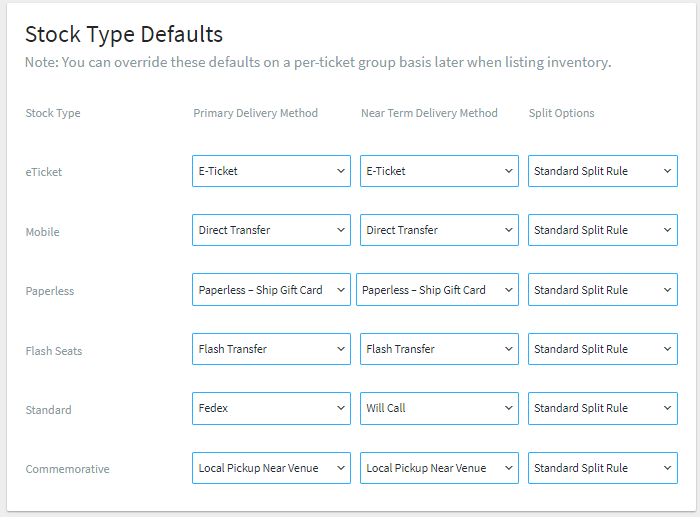
- Newly created tickets will use these new presets and can be overridden on a per ticket basis
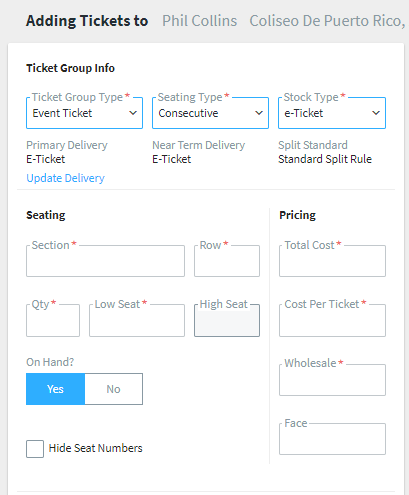
- Near term options of “always show” and “only show” have been simplified to:
- Primary delivery method
- Near-Term Delivery method
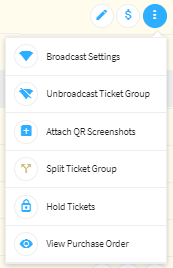
- On the orders and inventory grid, having the stock type of mobile will show an option under “More” of “Attach QR Screenshots” to allow uploading of PDFs that need to be displayed on a mobile device
- Retail buyers will receive an order confirmation e-mail specific to each delivery method for an improved experience
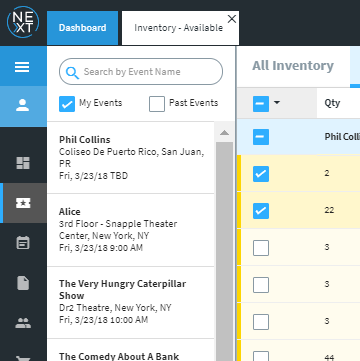
- The inventory grid now has the ability to Show Past Events and other Exchange Events, reducing the need to switch back to the Events Grid
- On the Inventory, Orders and Purchase Orders Grids, users now have the ability to mark tickets “On Hand”
Additional Improvements
General
- General usability improvements
- Reduced likeliness for label creation and export download to get caught by popup blocker
- Account Settings is now available for TN-Link file uploaders to be able to toggle vacation mode, selling from high seats and auto-split on orders
Inventory
- Bulk Assign or Single Add existing tickets to a Purchase Order
- Combined ticket groups can display multiple Purchase Orders
- Release On Hold Ticket Group from the Actions Column with the “Release Hold” button
Orders
- Rejecting an order will automatically un-broadcast a Ticket Group with the option of rebroadcasting